 club67
Management software for basketball academies.
Groups from Baby Basket to U18, a schedule per court and half court, attendance on the coach's phone, matches, fees and updates for families, in one app. With one gym or three.
by year of birth
no Viber groups
or the system you use now
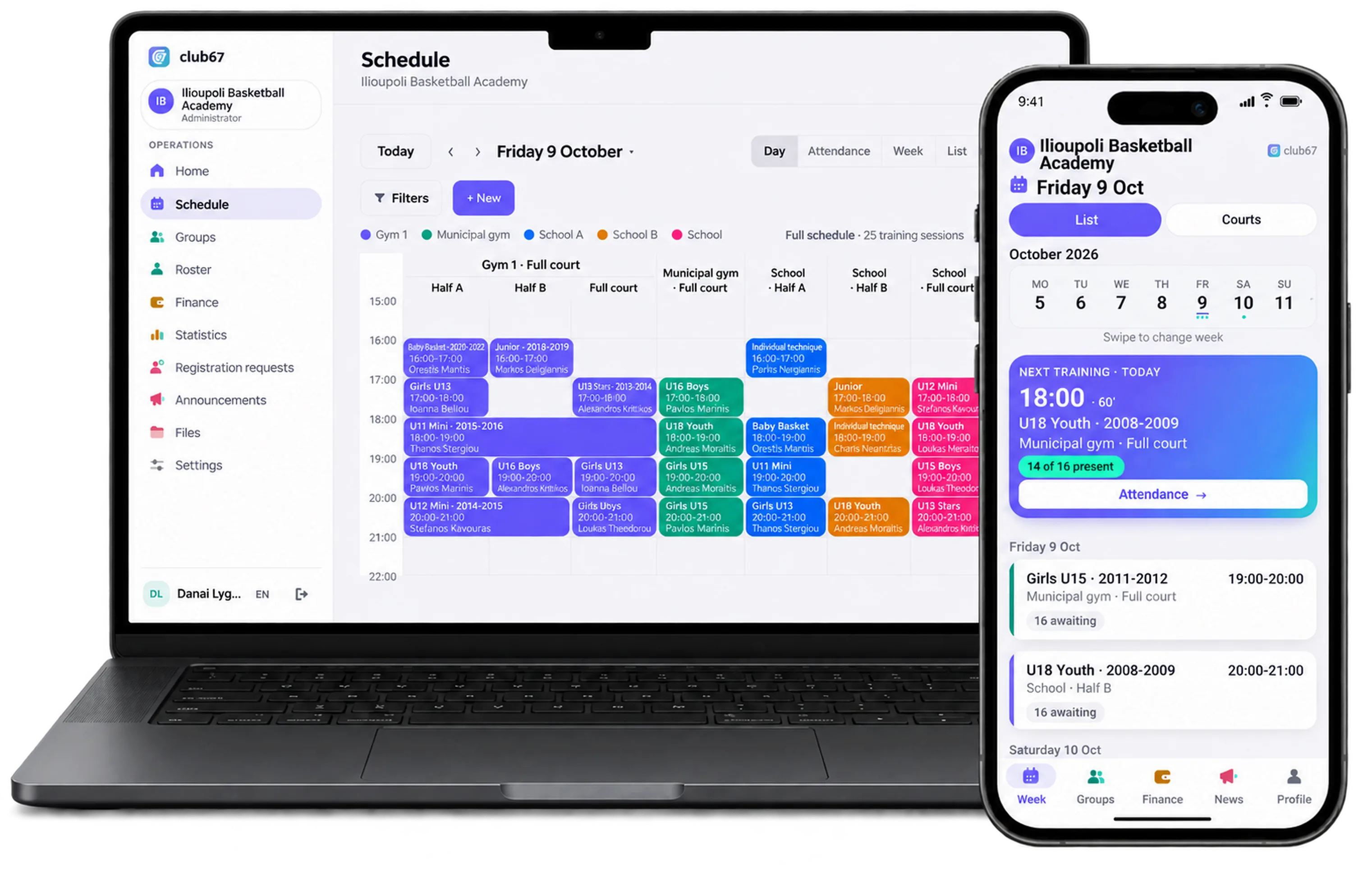
One gym, six groups, two half courts.
The municipal gym hours change every season.
The gym is yours from 17:00 to 21:00, and in four hours six groups have to fit into two halves. One mistake in Excel and two coaches end up at the same basket.
Whose health certificate is still valid?
Player cards and health certificates are asked for before every match, and the answer sits in a folder in the office.
A Mini tournament on Saturday, a Paides game on Sunday.
Squads, meeting times and venues change every week, and parents ask on Viber where the children are playing.
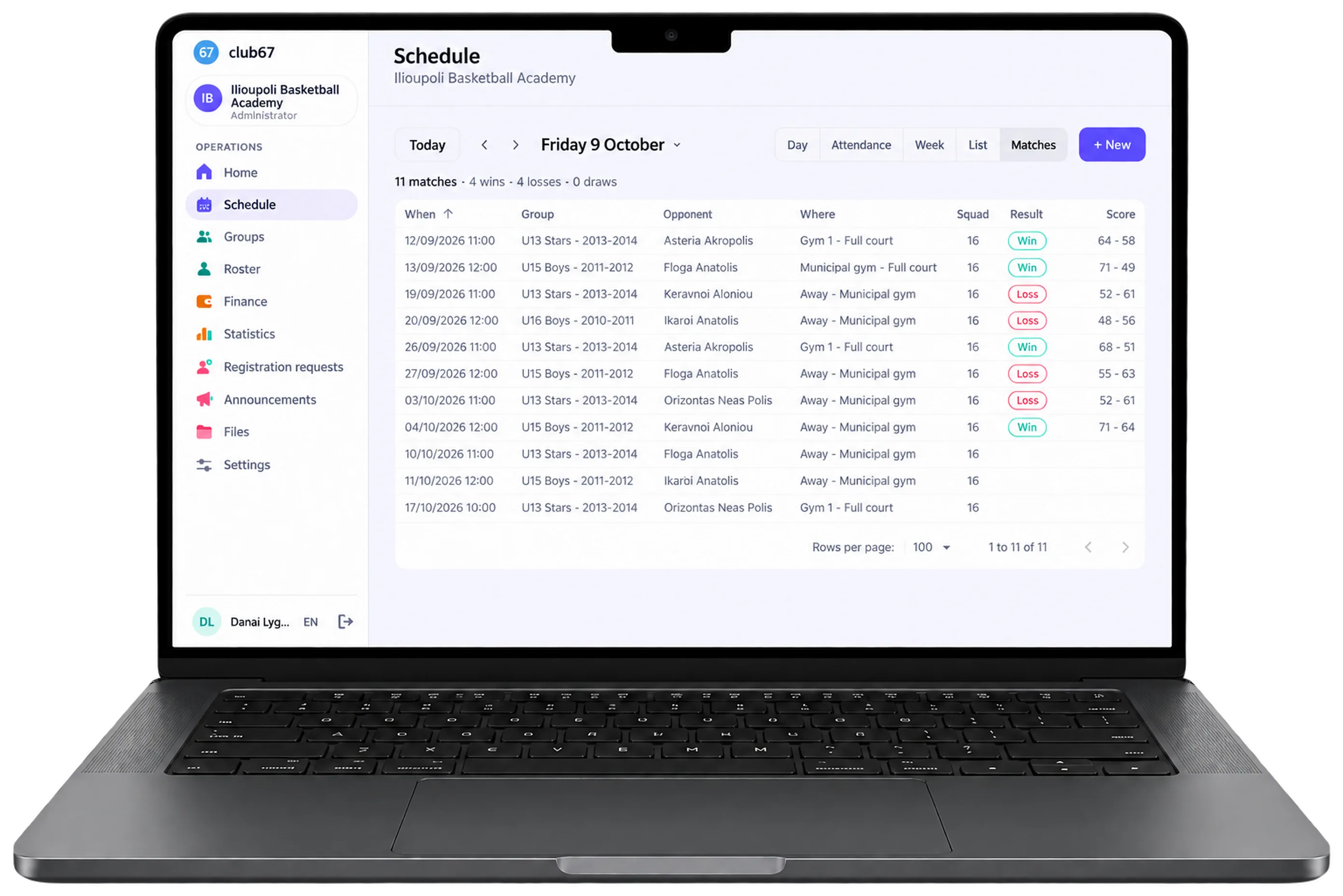
From the squad to the score, every weekend.
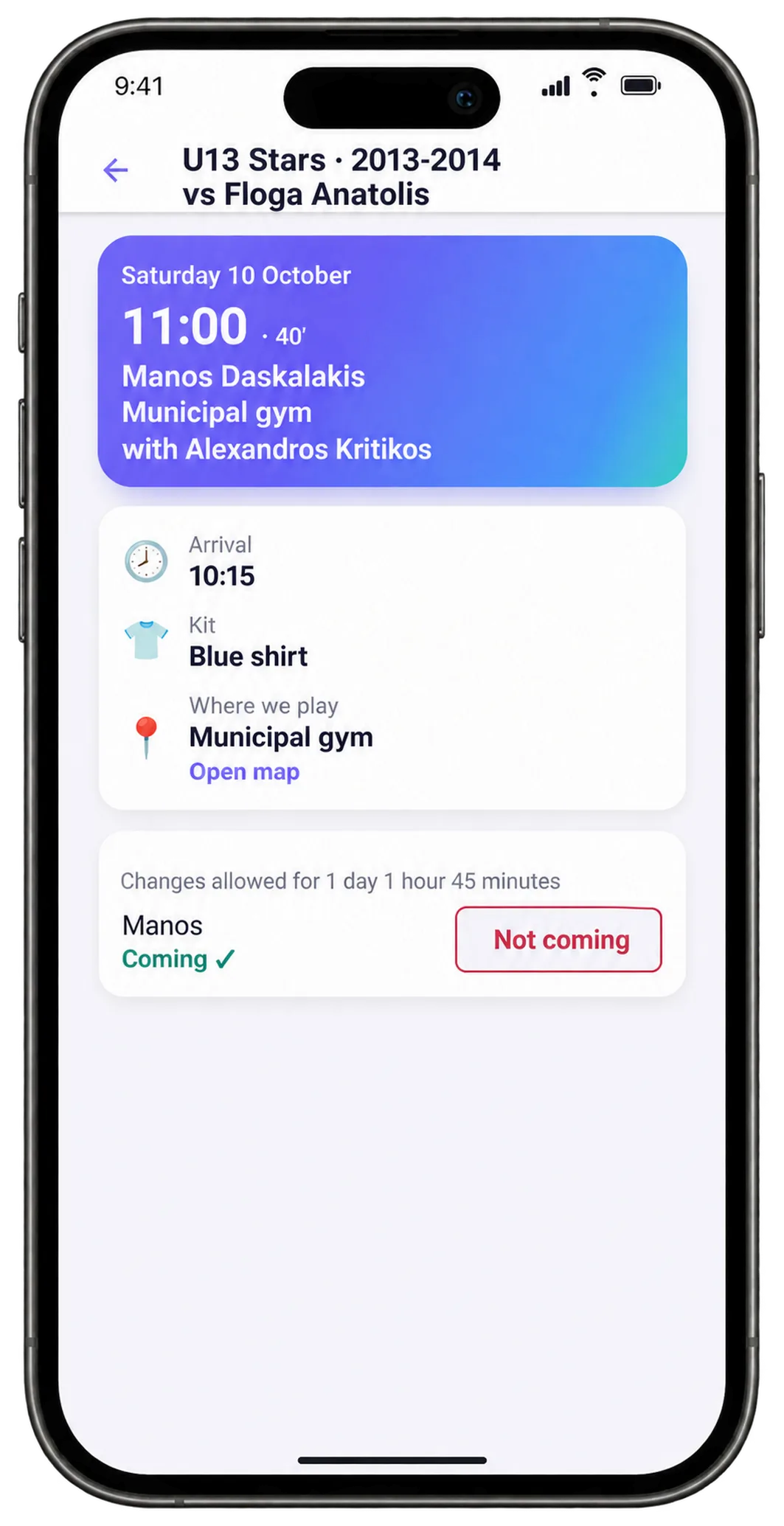
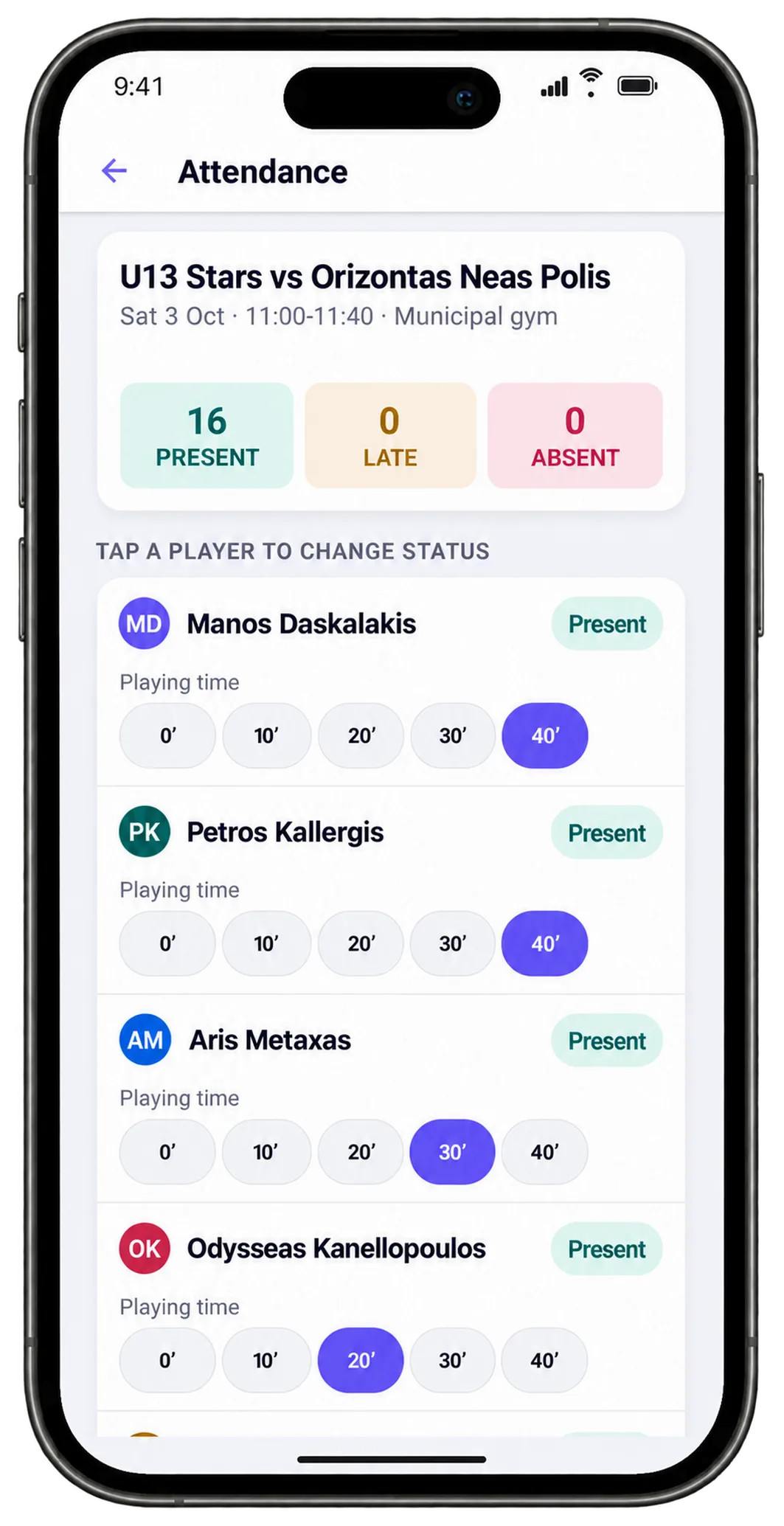
Set up the match with the opponent, the court or address, the meeting time and the kit, and pick which children are called up, even from another group or from the B team. Only the squad's parents/athletes are notified, and they reply whether they are coming. After the match you record the score and how long each child played.
Built for the way a basketball academy really works.
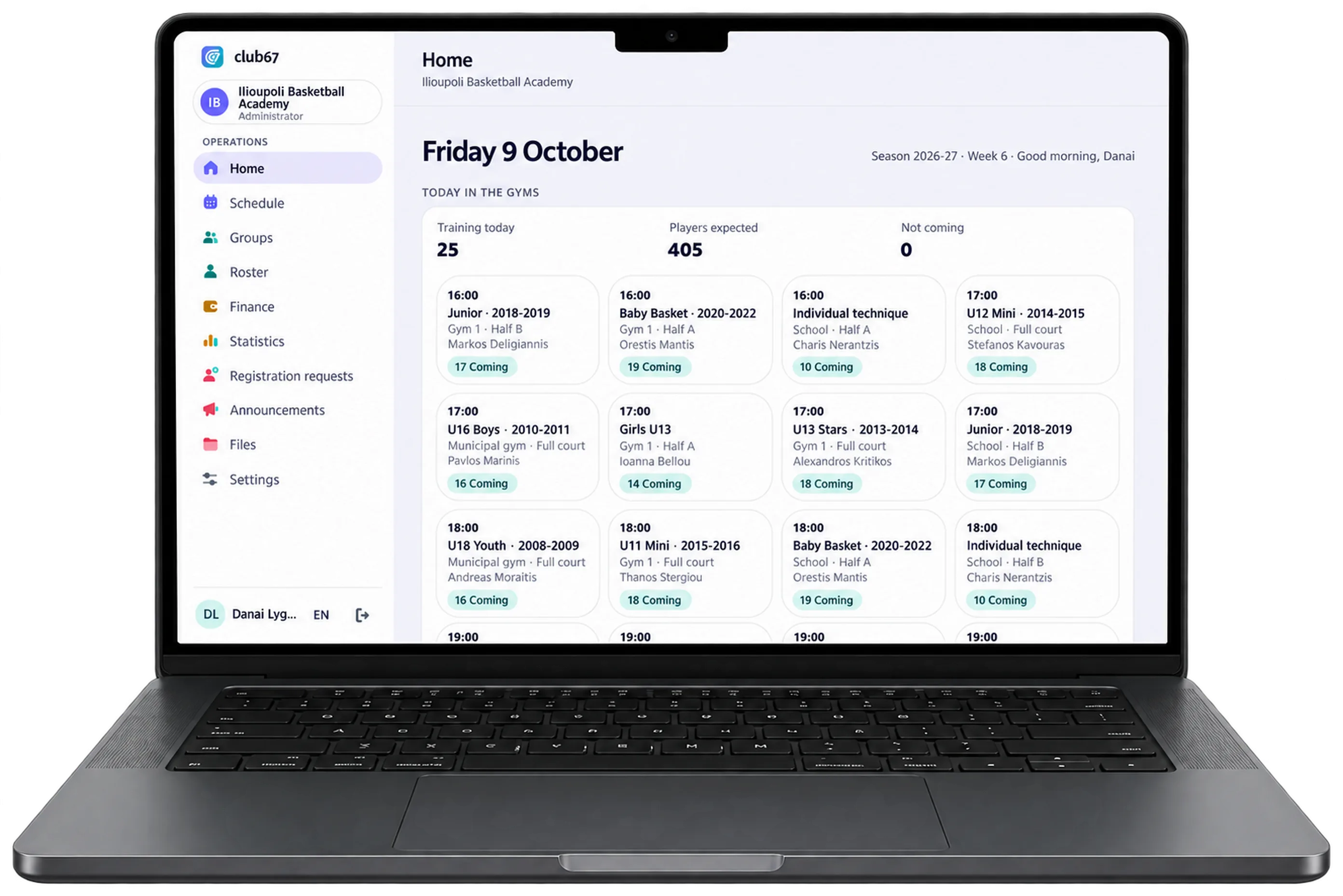
One gym, two halves, no double bookings.
Set up the weekly schedule once, in the hours you have at each gym, and the sessions create themselves, 8 weeks ahead. The court splits into two halves, and club67 never lets two groups share a half at the same time.
- A municipal gym, a school or an outdoor court, used whole or as two halves
- The day per court at a glance, on the computer and the phone
- Holidays and cancellations, notifying only the people affected
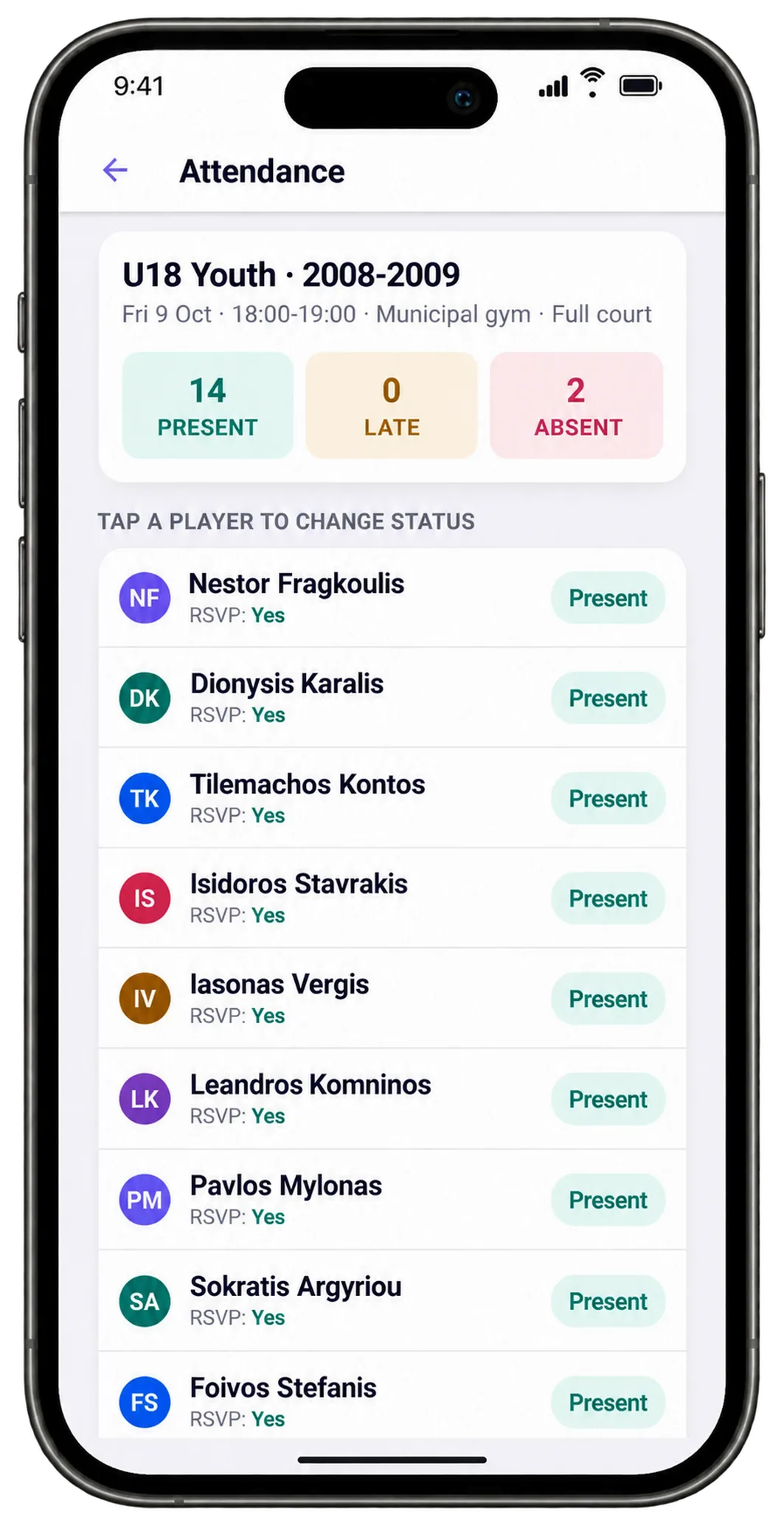
Attendance is taken on the hardwood, not in the office.
The coach opens the phone and sees their next session, who said they are coming and who is not. Attendance takes one tap per child, and the office sees it straight away.
- Present, late, excused or unexcused absence
- Families reply coming or not coming before the session
- Coaches in every group, from Baby Basket to U18
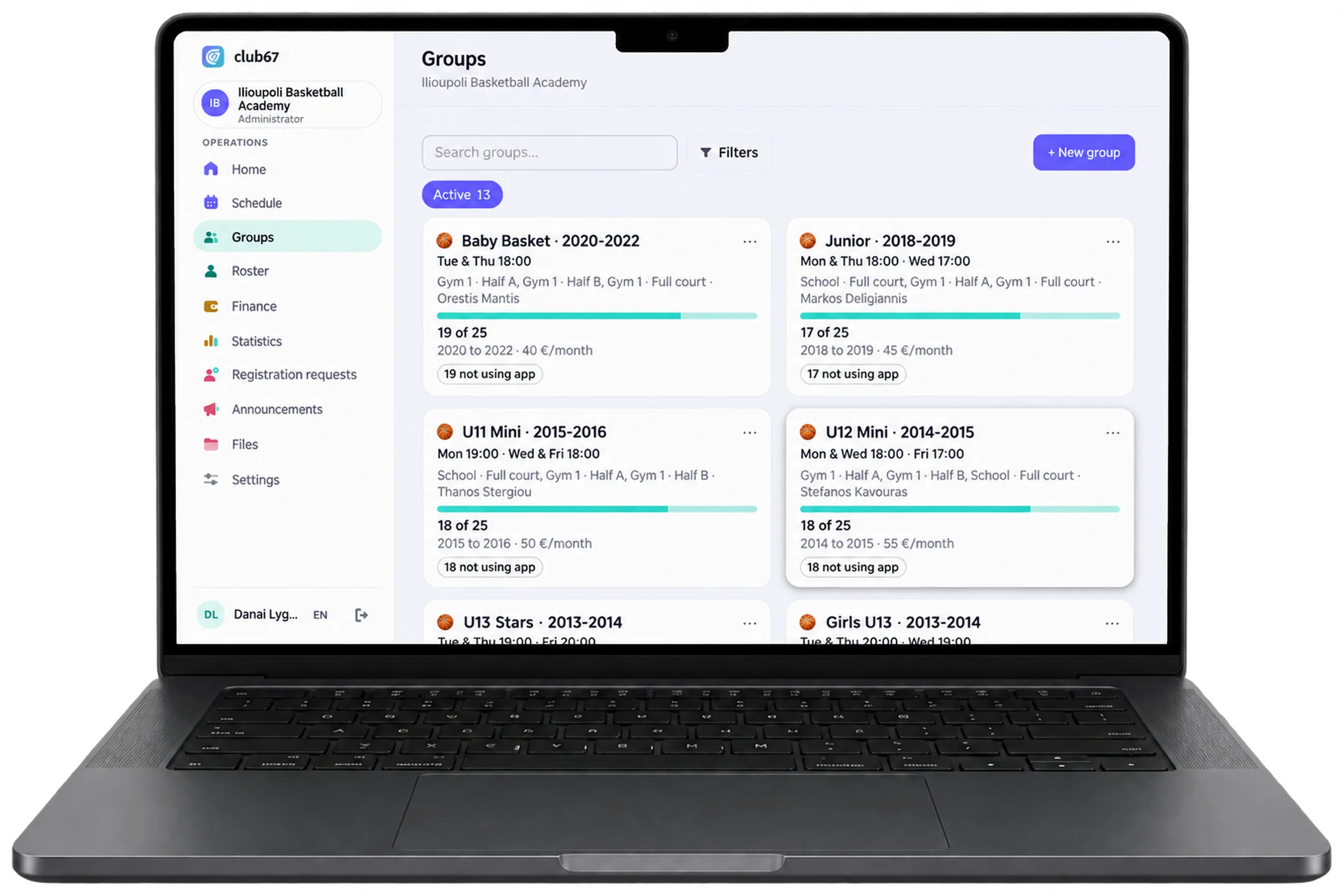
Everything the federation and the family ask for, on the child's profile.
Groups are set up the way you run them: Baby Basket, Junior, Mini, Stars, Pampaides, Paides and Efivoi (the Greek age categories up to U18), girls' teams, and a B or C team in the same age group. A child can be in two groups. Each athlete's player card, health certificate and other papers stay on their profile, with their expiry dates.
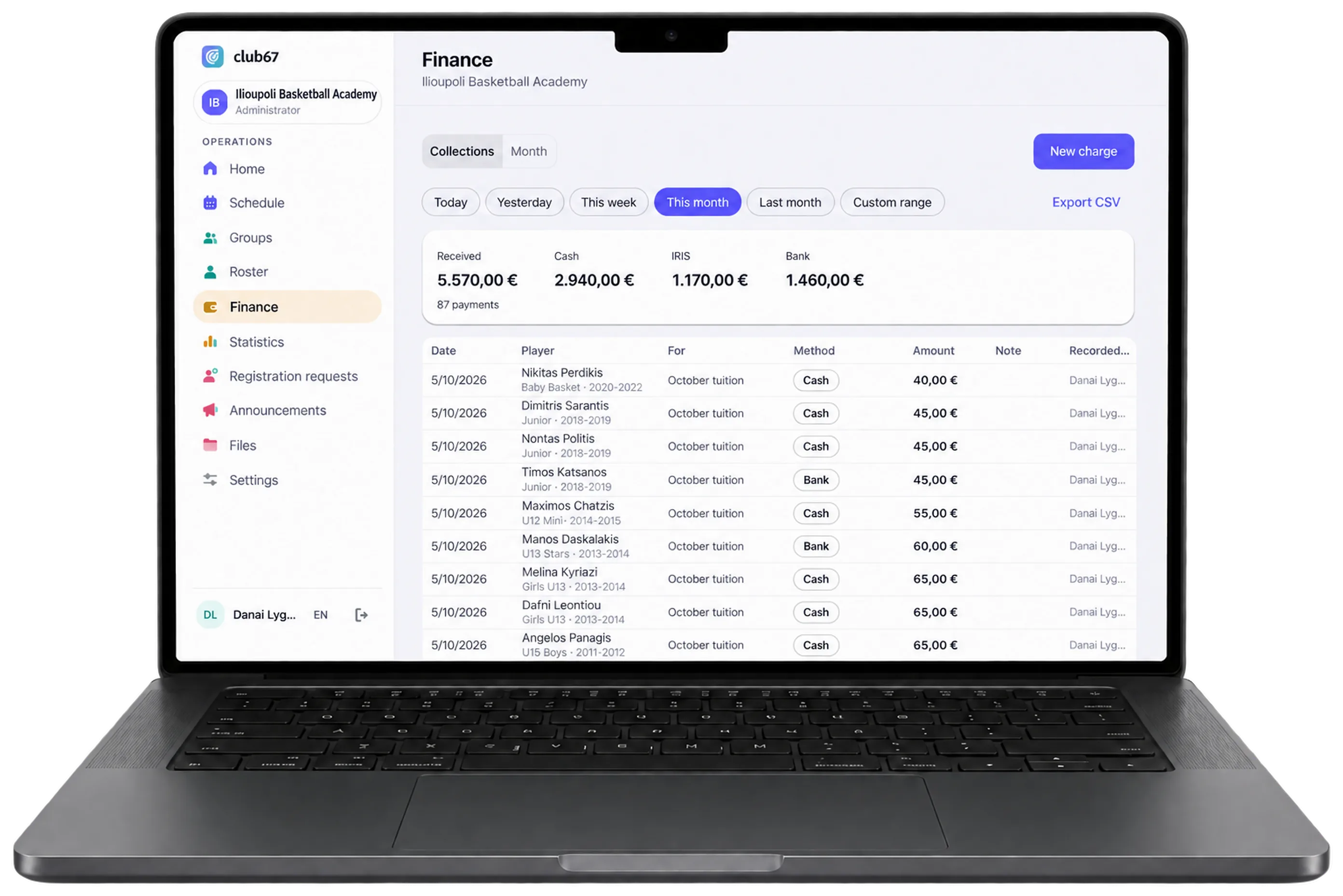
Know who owes what, without digging.
Fees are raised automatically every month or every two months, at the group's price or with a second-child discount. Every payment is recorded, in cash, IRIS or bank transfer, and families see what they owe in the app.
- Monthly or two-monthly fees, and months paid in advance
- Registration, kit and any other charge on the same profile
- Reminders for late payers, and export to Excel
Rent out the court when you have no training.
If the court is your own, it sits empty after 21:00 and on Sunday mornings. Set the hours and the price, for the whole court or for half, and bookings go into the same schedule as training, never landing on a session. The rent becomes a charge by itself, and if you like, parents and athletes book a court from the app.
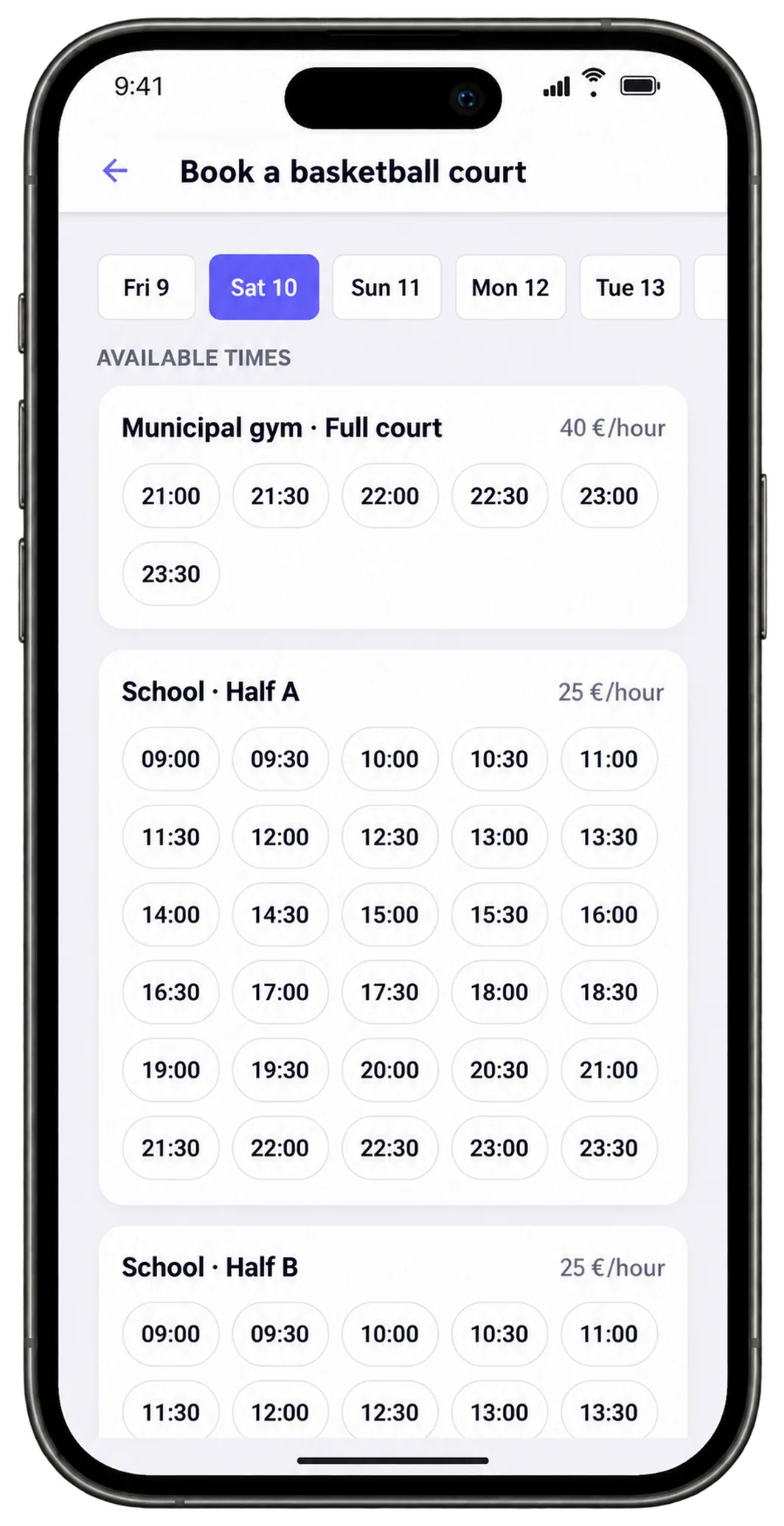
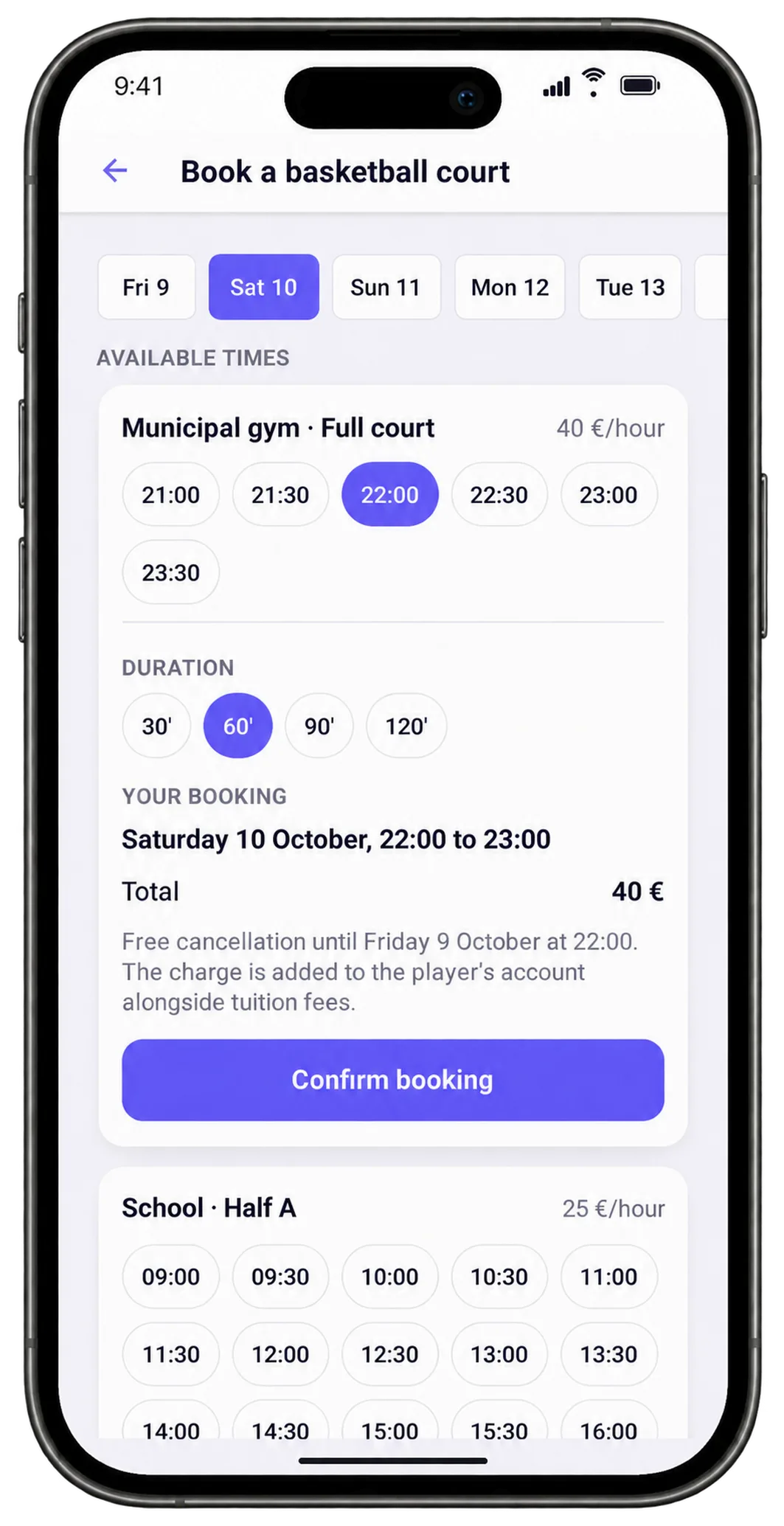
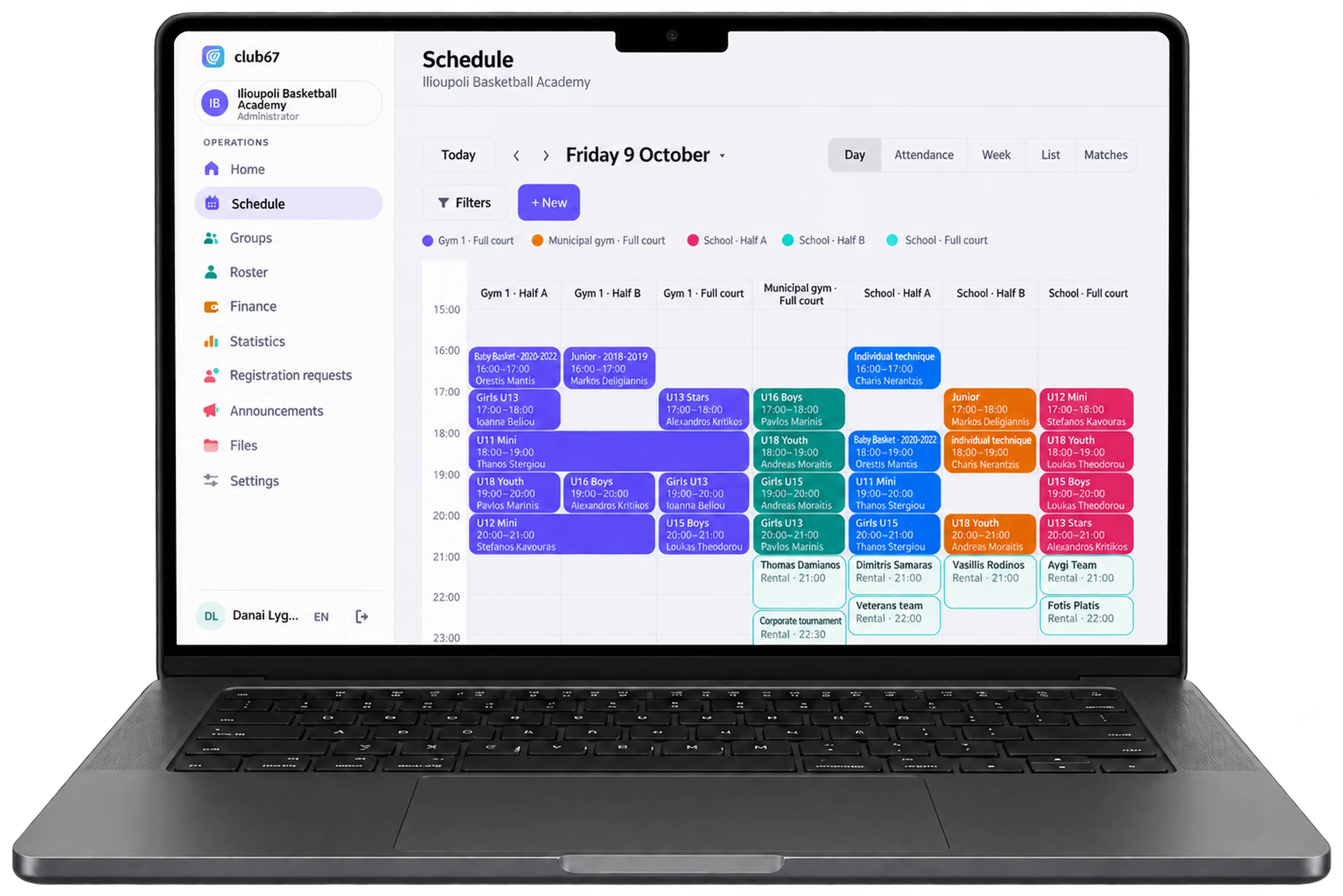
Six groups, two half courts, zero phone calls.
The office opens the home screen: 14 sessions today in two gyms, with which coach and how many children are coming to each.
The municipality takes the Municipal Gym for an event in the afternoon. The three sessions booked there are cancelled, and parents and athletes see it on their phones straight away.
Baby Basket and Junior share Gym 1, half each, with the low baskets.
The Pampaides take the whole court. The office sees on two children's profiles that their health certificate has expired, before Sunday's match, and the coach sends out the squad.
Danae's mum from Girls U13 pays October with IRIS and the office confirms it with one click.
Families know when, where and whether training is on.
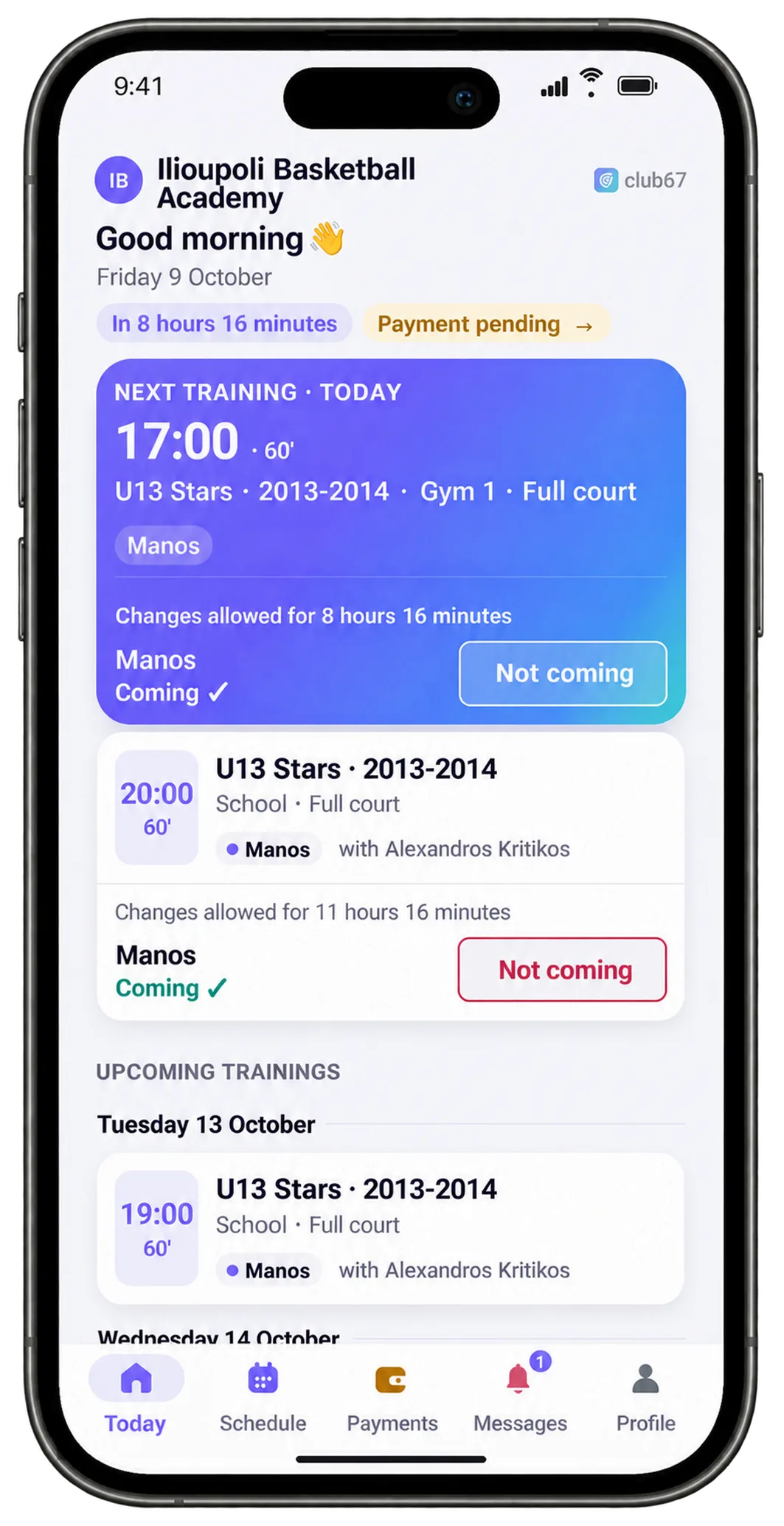
The club67 app, for iPhone and Android, shows the parent or the athlete the next session, the court and the coach. One tap says whether they are coming, and they see the academy's announcements and events, such as a Christmas camp with sign-up, and what they owe, and pay.


What basketball academies ask us.
We train two groups on the two halves of one court. Is that possible?
Yes. The court splits into two halves, and each group books its own half. club67 never lets two groups share a half at the same time, and when a group needs the whole court, for training or for a match, it books all of it.
We have hours at a municipal gym and at a school. Can they all go in together?
Yes. Each venue goes in with its courts, and the weekly schedule is built on the hours you have at each one. If the municipality takes the court one day, you cancel that day's sessions and only the people affected are notified.
We have an A and a B team in the same age group. Can it handle that?
Yes. Each team is its own group, with its own schedule and coach, and a child can be in two groups. For a match squad you can call up children from another group too, for example from the B team to the A team.
Where do we keep player cards and health certificates?
On each athlete's profile, together with the social security number, parental consent and anything else you ask for. Every paper keeps its expiry date, and one filter in the athlete list shows who has papers missing.
We play Mini basketball tournaments at weekends. How do families find out?
Set up the match with the court or address, the meeting time and the kit, and pick the squad. Only the squad's parents/athletes get a push notification in the club67 app, and they reply whether they are coming.
Our athletes are in Excel or another system. Do we have to enter them one by one?
No. Send us whatever you have, Excel, PDF, Viber messages or an export from the system you use, with the schedule and fees as you keep them today, and we move it all in for you, free. Within one working day your academy is ready.
And one more thing, you will only see it in the demo.
club67 has many AI features, ready and already working. We do not show them here. We will present them to you live, with your own data.
I want to see themHave needs we don't cover?
club67 adapts to your academy. Tell us how you work and what you are missing, and we will look at it together.
Tell us what you needSee your own basketball academy in club67
Not a sample academy: yours, with your own schedule and groups. No cost and no commitment.
You leave us your details
Your email and the name of your academy.
We get in touch right away
You tell us how your academy works and send us what you have, as you have it.
We put it in within one working day
Courts, groups, the weekly schedule and coaches, ready in club67.
We email you an invite
You sign in and see your own academy live, on the computer and on the phone. If you like, we walk you through it on a half-hour video call, AI features included, answering whatever you ask.
We need no lists of children. Athletes are added once you decide to carry on.
Ask for your demo
Within one working day we email you an invite.
Got it!
We will be in touch shortly. We have also sent you a confirmation email.
In a hurry? Call us: +30 210 260 3784
Rather talk on the phone? +30 210 260 3784