 club67
Management software for swimming clubs.
A schedule per pool and lane, levels with skills, attendance at the poolside, makeups, fees that follow the days each child swims and updates for families, in one app. From Pre-school to Competitive.
that families can see too
no Viber groups
or the system you use now
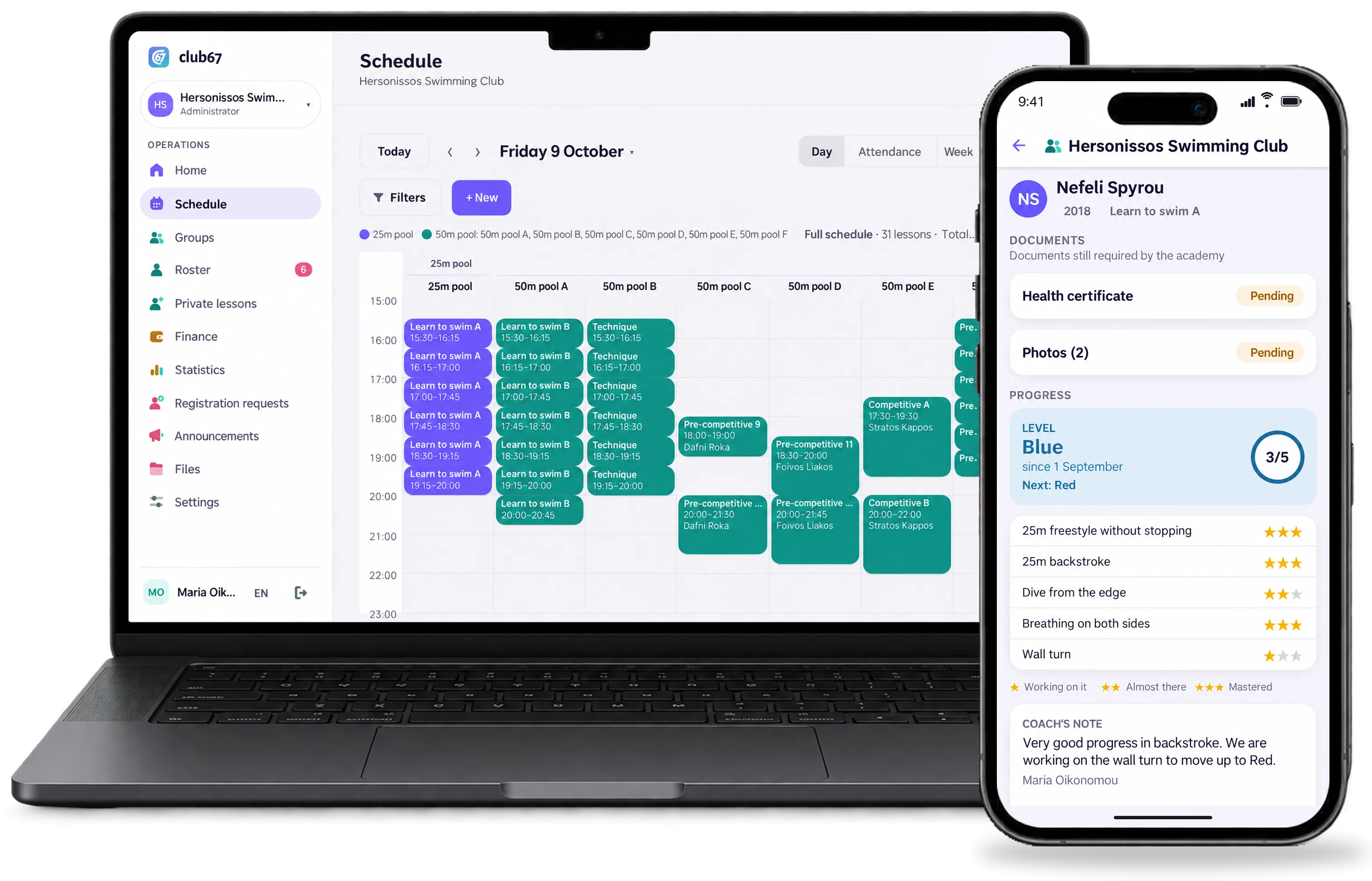
The pool runs like clockwork. The front desk is drowning.
500 children, 2 pools, 170 lessons a week.
Every child comes on different days at a different time, and the schedule changes every season. Or a clunky app that never fits the way you work.
What level is my child at?
Parents ask every month, and the answer is in the coach's notebook, if it is anywhere.
She missed a lesson. When does she make it up?
Makeups on scraps of paper and in messages, and nobody knows which were used and which were not.
Built for the way a swimming club really works.
From the first level to the competitive squad, with families seeing every step.
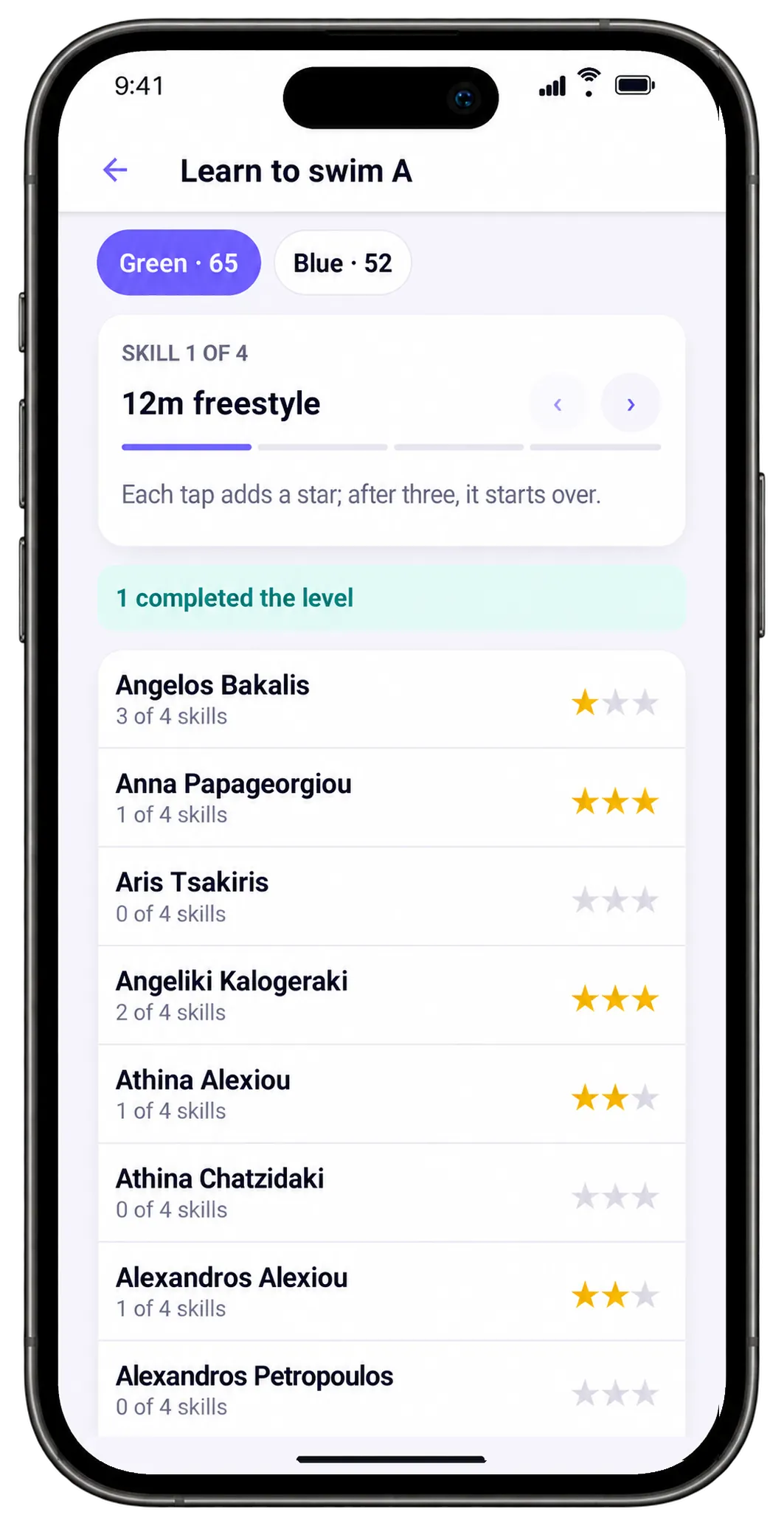
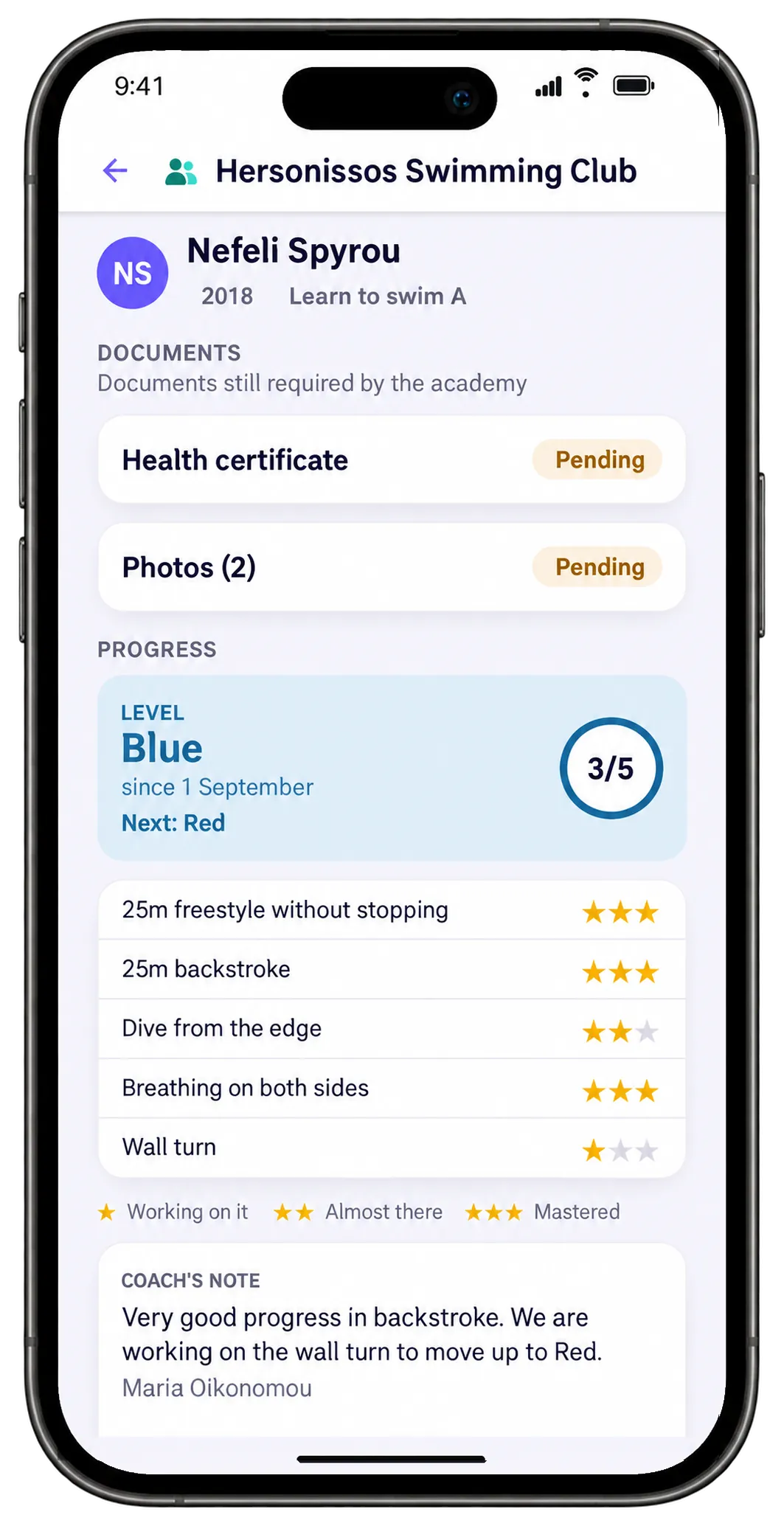
Levels carry your own names and colours, and each level the skills a child has to master. The coach gives stars from the phone at the poolside, and moves a child up when they are ready.
- Up to three stars per skill: working on it, almost there, mastered
- A coach's note that parents/athletes can read
- Who is ready to move up, at a glance
Six lanes, ten groups, no double bookings.
Set up your pools and their lanes, and every lesson books its own lane. The weekly schedule is set up once and the lessons create themselves, with holidays already cancelled.
- 25m pool, 50m pool in lanes, or whatever pools you have
- The day per lane, on the computer and the phone
- Cancellations that notify only the people affected
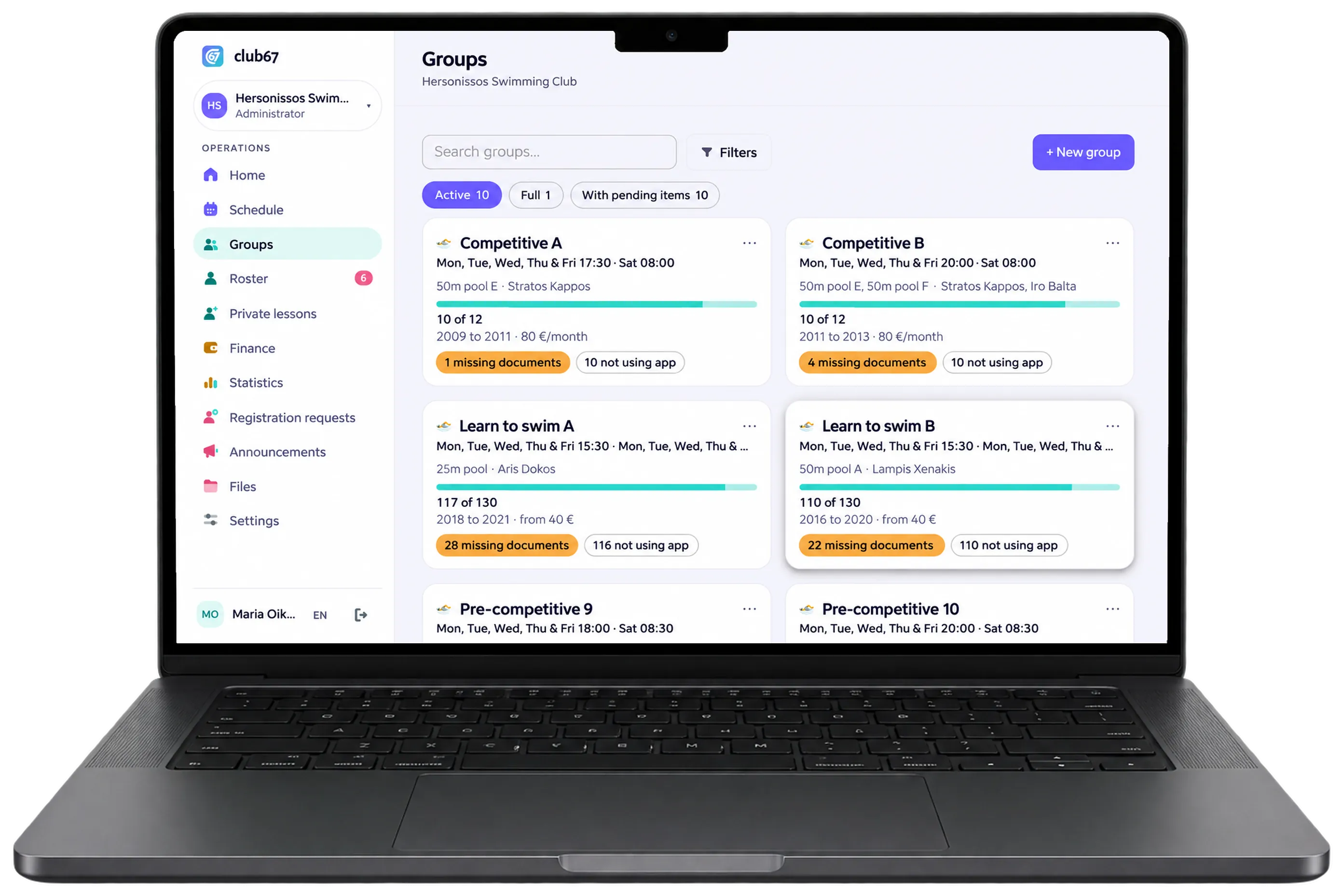
Once, twice or three times a week, with a fee to match.
Every child has their own days and times within the group, and the fee is worked out automatically from how often they come. Every payment is recorded, in cash, IRIS or bank transfer, and families see what they owe in the app.
- A price per frequency, e.g. 40 € for once a week, 70 € for two or three times
- Sibling discounts and special prices
- Reminders for late payers, and export to Excel
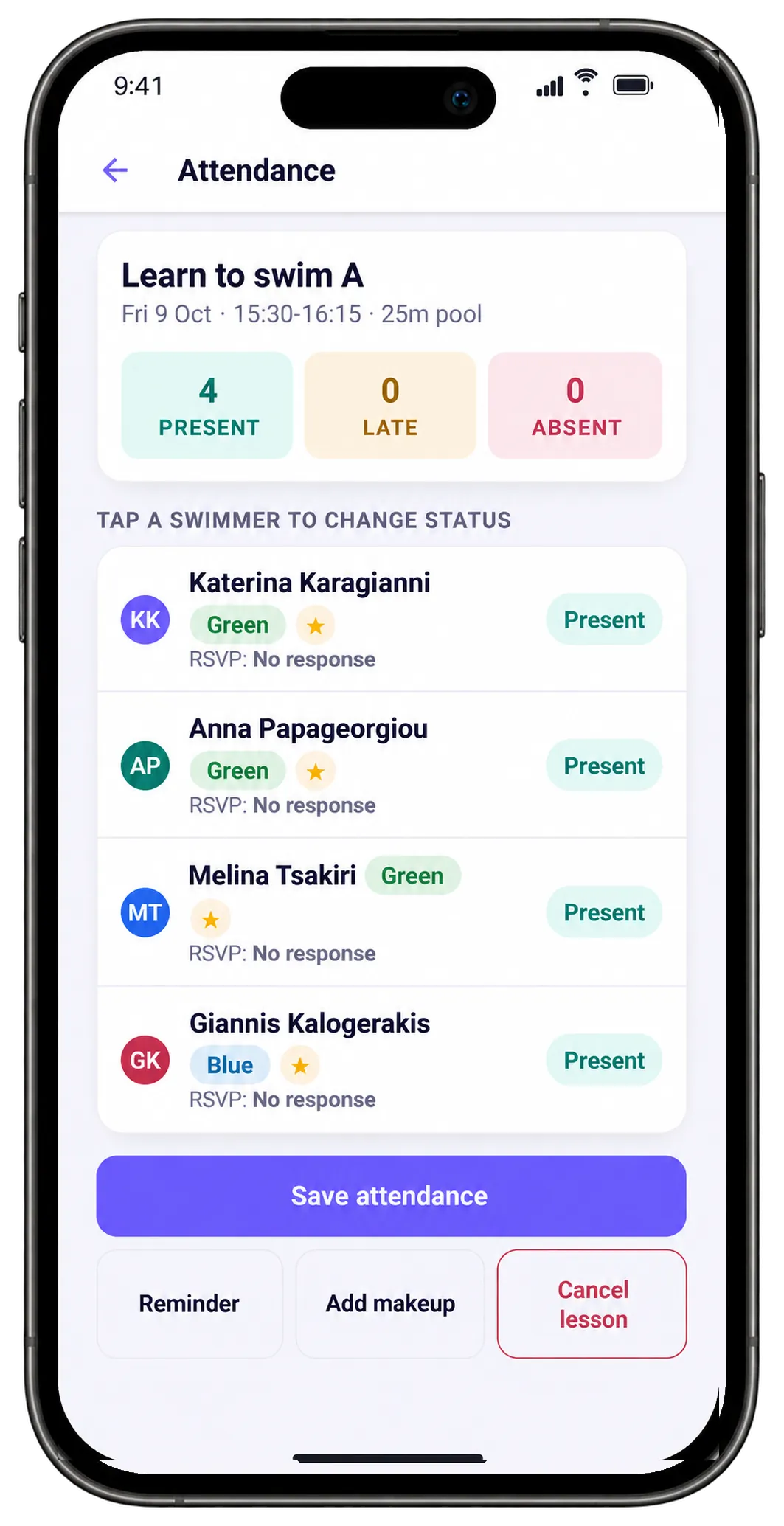
Attendance is taken at the poolside.
The coach opens the phone and sees who is coming to the lesson about to start, who said they will not make it and who is coming for a makeup. Attendance takes one tap per child.
- Present, late, excused or unexcused absence
- Makeup swimmers stand out in the list
- Works on a weak signal and syncs as soon as it connects
New sign-ups arrive through a form, not phone calls.
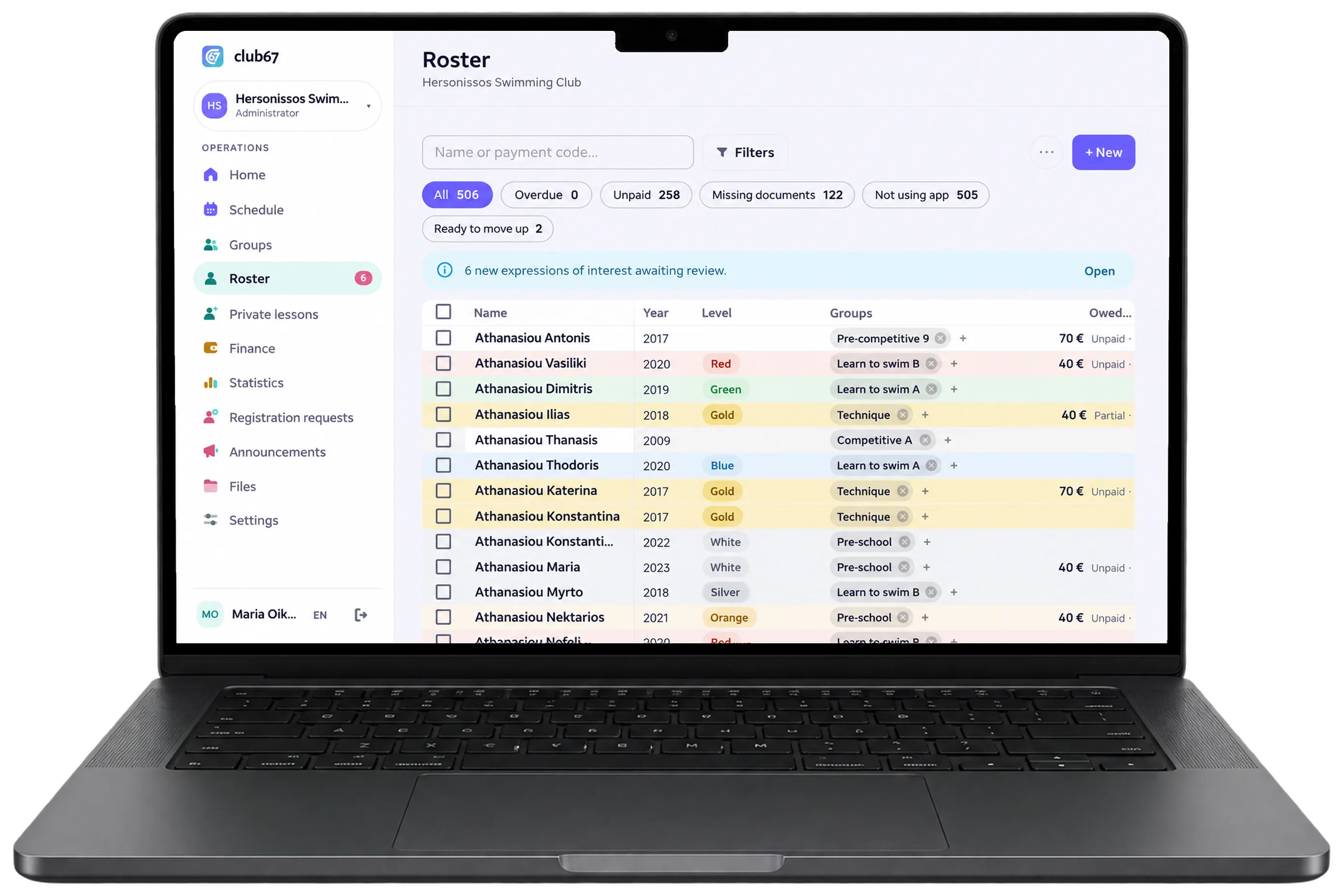
Send families a link. They register their child with the days and time that suit them, and the requests arrive in one list for you to place in a group. Health certificate, photos and consent show on every child's profile.
31 lessons, two pools, zero phone calls.
The front desk opens the home screen: today's lessons, how many children are coming to each and who still owes this month.
A filter breaks in the 25m pool. One cancellation for the afternoon lessons, parents/athletes are notified at once, and every child gets a makeup.
Pre-school gets into the 50m pool. The coach sees who is coming and takes attendance on her phone.
In Learn to swim A, Nefeli earns her third star in backstroke. Her mum sees it in the app before she gets home.
Three new sign-ups from the form. The front desk places them in groups and the families get an invite to the app.
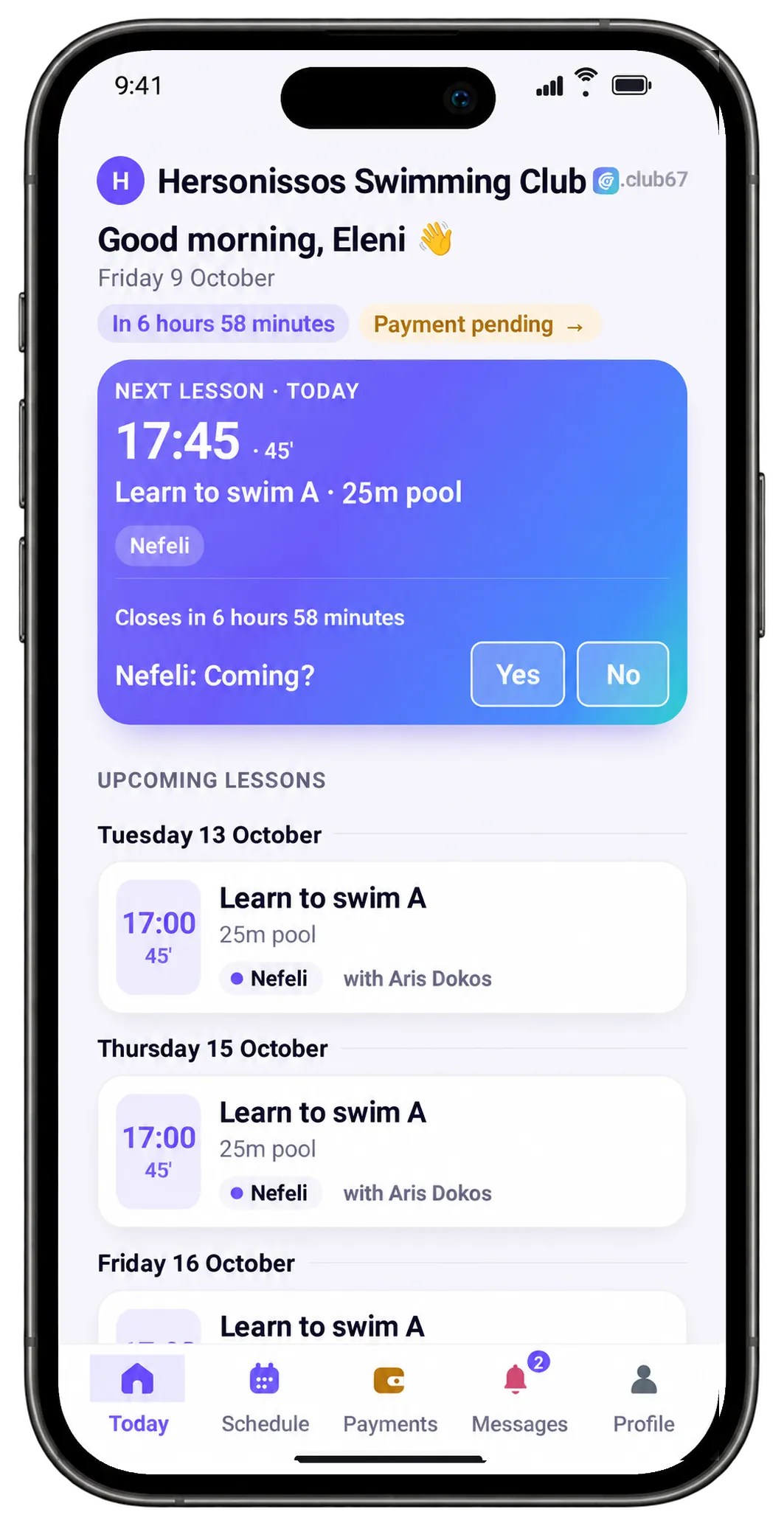
Families know when the lesson is and how their child is doing.
The club67 app, for iPhone and Android, shows the parent or the swimmer the next lesson, the pool and the coach, the level with its skills, makeups and what they owe. One tap says whether they are coming, and they see announcements.


What swimming clubs ask us.
Every child comes on different days. Does that work?
Yes. Every child has their own days and times within the group, once, twice or three times a week, and the fee follows how often they come. Each lesson's register lists only the children coming that day.
We have our own levels, e.g. colours. Can we set them up our way?
Yes. Levels carry your own names and colours, and each level the skills a child has to master. The coach gives up to three stars per skill and moves the child up a level, and parents/athletes follow the progress in the app.
How do makeups work?
When a lesson is cancelled, or a child says in time that they will not come, a makeup is granted automatically under your policy and goes into the athlete's wallet. The coach adds the child to another lesson and the makeup is used up, so it can never be used twice.
We have two pools and lanes. Does the schedule understand that?
Yes. You set up your pools and their lanes, e.g. a 25m pool and a 50m pool in six lanes. Every lesson books one or more lanes, and club67 never lets two groups share a lane at the same time.
We ask for a health certificate and photos. Can they go into club67?
Yes. You set the documents you ask for and how long they are valid, and see who has handed them in and whose are expiring. Parents/athletes see in the app what is still pending.
Our athletes are in Excel or another system. Do we have to enter them one by one?
No. Send us whatever you have, Excel, PDF, Viber messages or an export from the system you use, with the schedule and fees as you keep them today, and we move it all in for you, free. Within one working day your academy is ready.
And one more thing, you will only see it in the demo.
club67 has many AI features, ready and already working. We do not show them here. We will present them to you live, with your own data.
I want to see themHave needs we don't cover?
club67 adapts to your academy. Tell us how you work and what you are missing, and we will look at it together.
Tell us what you needSee your own swimming club in club67
Not a sample academy: yours, with your own schedule and groups. No cost and no commitment.
You leave us your details
Your email and the name of your academy.
We get in touch right away
You tell us how your academy works and send us what you have, as you have it.
We put it in within one working day
Courts, groups, the weekly schedule and coaches, ready in club67.
We email you an invite
You sign in and see your own academy live, on the computer and on the phone. If you like, we walk you through it on a half-hour video call, AI features included, answering whatever you ask.
We need no lists of children. Athletes are added once you decide to carry on.
Ask for your demo
Within one working day we email you an invite.
Got it!
We will be in touch shortly. We have also sent you a confirmation email.
In a hurry? Call us: +30 210 260 3784
Rather talk on the phone? +30 210 260 3784